CADDIEFLOW
Phone AppLive RoundsPremium ToolsSmartwatch

App Overview

See How CaddieFlowFits The Whole Round.

CaddieFlow is built around the full round — from browsing the course directory to live play, post-round review, handicap tracking, and Premium tools that keep the app useful long after the card is signed.

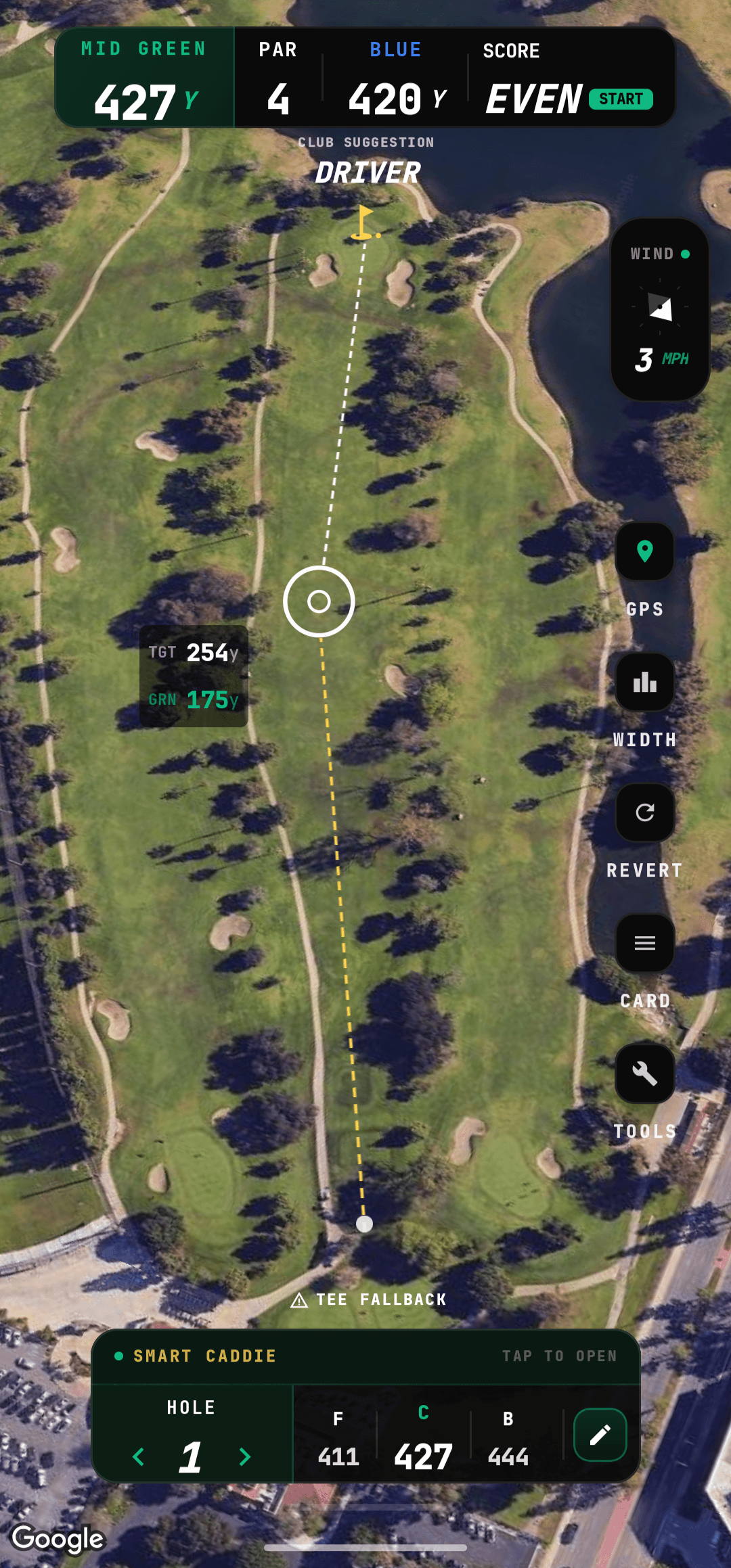
CaddieFlow GPS screen showing live yardages.
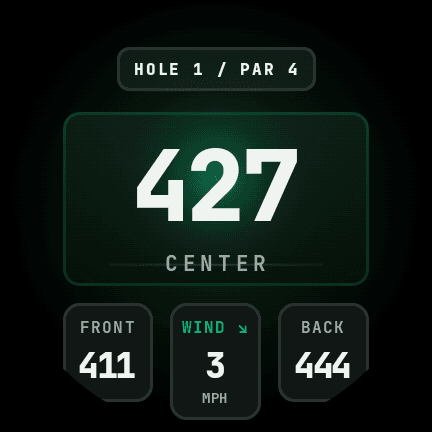
CaddieFlow Wear OS watch face showing hole yardages, wind, and distances.

Play And Track

01

Start In The Directory. Move Straight Into The Round.

CaddieFlow follows the way golf actually gets played: browse the directory, open the course preview, set up the round, then step into live play where the hole, score, and shot log all stay in one place.

01

Course directory and preview screens before the first tee.

02

Round setup, live round play, mini scorecards, and hole flow.

03

Built for faster decisions while the round is still happening.
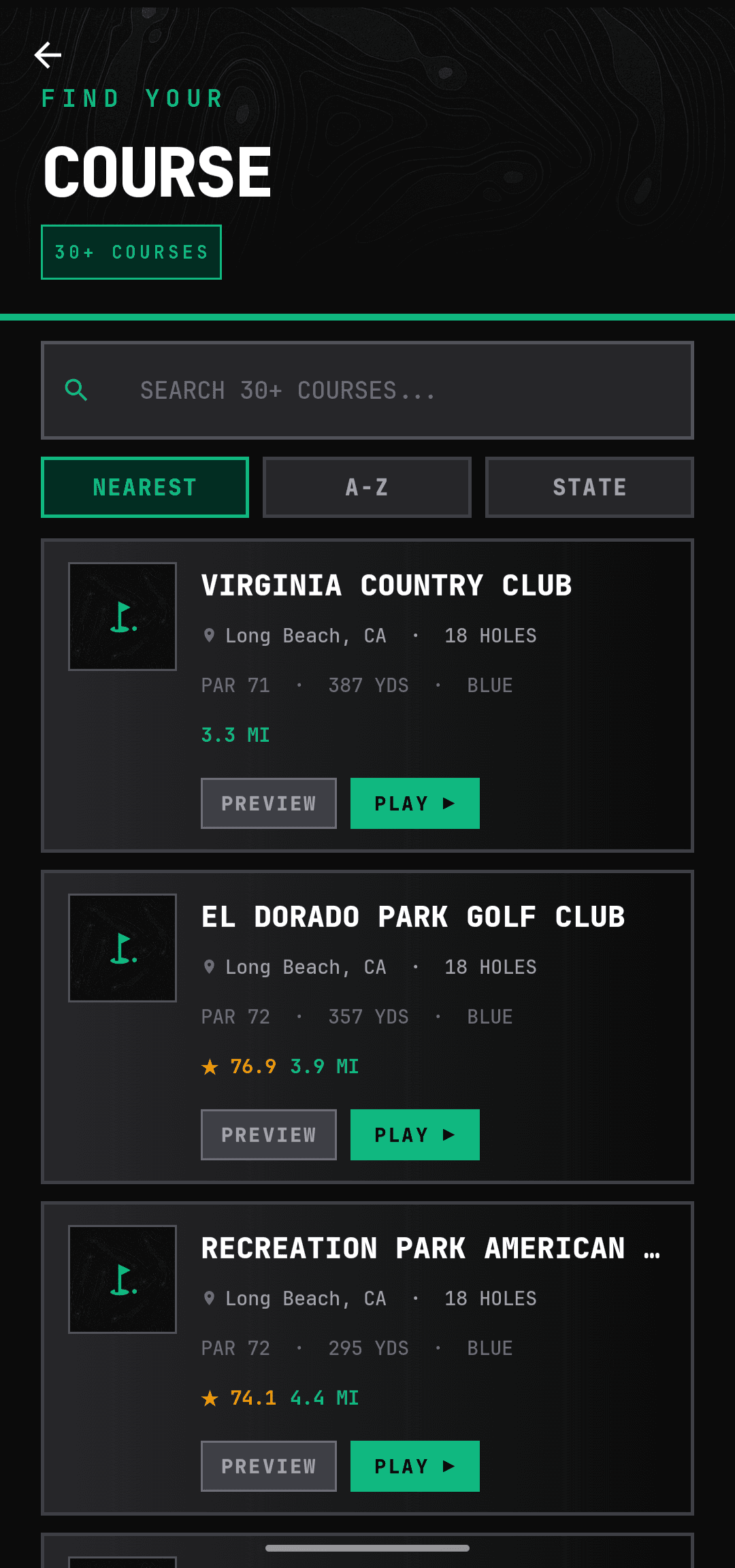
CaddieFlow course finder app screen.

Smartwatch

02

Live Yardages Without Touching The Phone.

CaddieFlow syncs to your Wear OS smartwatch so distances, hole info, and quick logging actions are always a glance away — no fumbling with the phone mid-shot.

01

Front, center, and back yardages updated on every hole.

02

Club suggestion on the watch face based on your distances.

03

Stays in sync with your live round on the phone.

CaddieFlow Wear OS watch face showing hole yardages, wind, and distances.

Review And Improve

03

The Round Does Not Die At The Scorecard.

CaddieFlow carries the round past the final putt. History, handicap, season views, and your bag stay inside the same app — so you are not left with just a score and nothing to do with it.

01

Round history, round detail, and summary screens.

02

Handicap tracking plus season-level review surfaces.

03

My Bag, profile, and settings tied into the same workflow.

CaddieFlow course finder app screen.

Premium Layer

04

Premium Takes The App Past Basic Tracking.

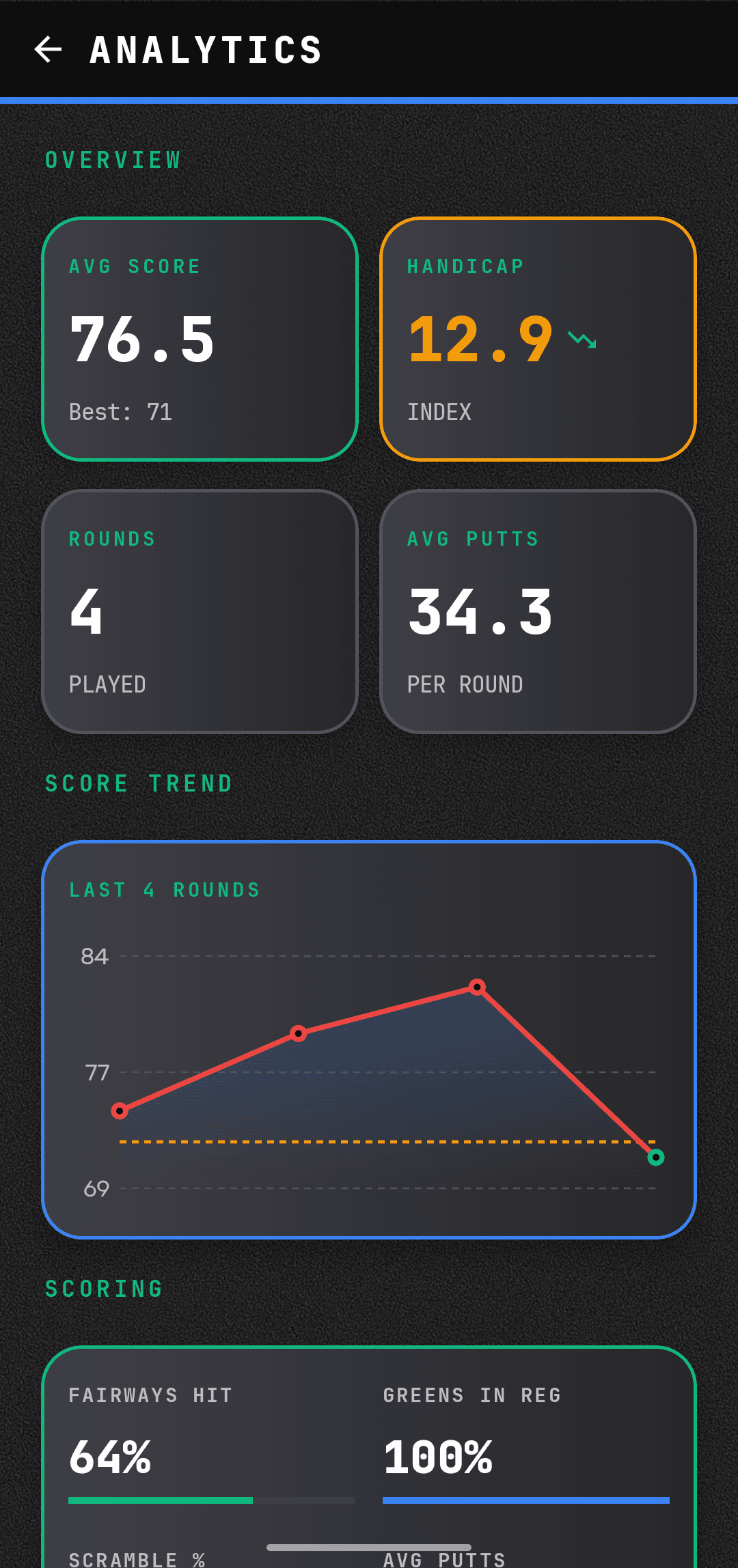
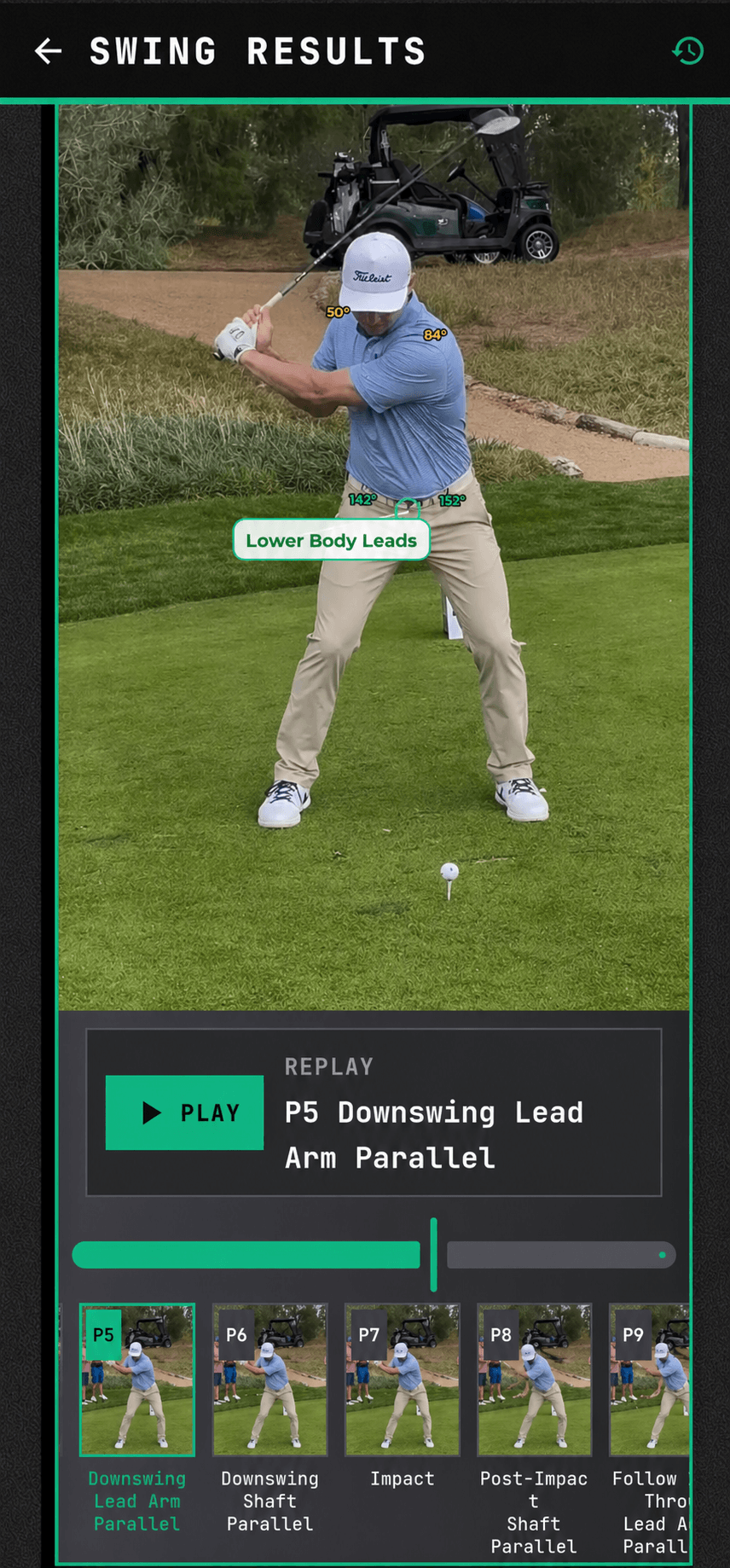
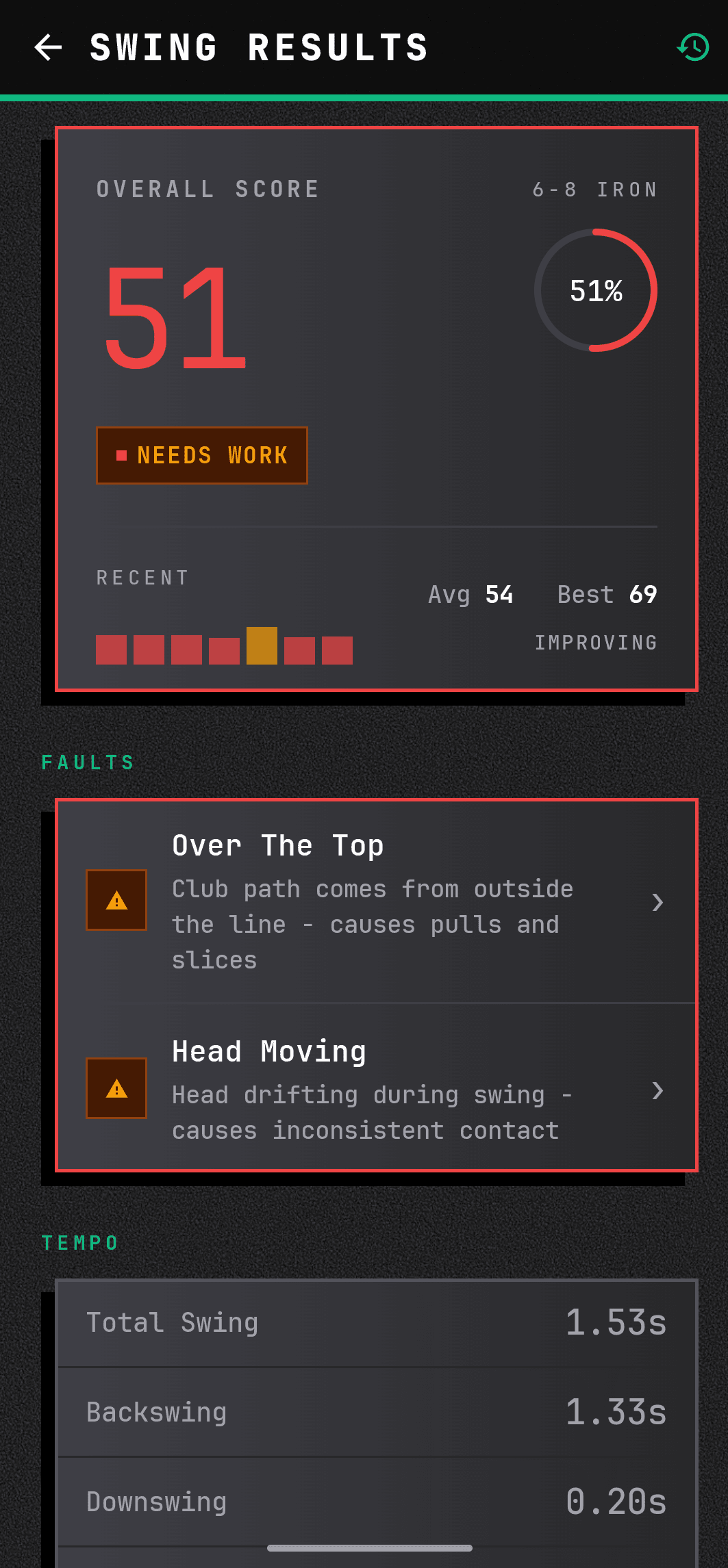
Premium adds swing analysis, swing history, comparison, and a sharper analytics dashboard. It's the part of the app that turns your footage and your rounds into something you can actually learn from.

01

Swing analyzer, swing history, and comparison flows.

02

Premium analytics dashboard and smarter assistant surfaces.

03

Google Play or web billing, with status synced back to the website.

CaddieFlow course finder app screen.

Smartwatch

01

Watch Sync On Every Hole

CaddieFlow extends to your smartwatch with round sync and quick actions for clubs, scores, and in-round updates — useful when pulling out the phone mid-hole isn't ideal.

Course Intelligence

02

Course Preview Before You Commit

Course preview screens give the top-line read early: weather, pro tips, handicap context, visuals, and a clearer sense of whether this is the right course for the next round.

Website Sync

03

Web For Discovery. App For The Heavy Lifting.

The website handles discovery, leaderboards, and account management. The app is where live round play and on-course tools live. Open one, use the other — they stay in sync.

Premium Preview

Premium Is Where The App Starts Teaching Back.

Swing analyzer, comparison, a sharper analytics dashboard, and better in-round guidance all come with Premium — the part of the app that turns your footage and your rounds into something you can actually use.

Swing AnalyzerSwing HistoryComparisonAssistantAnalytics
CaddieFlow swing metrics results screen showing score and faults.

Premium Covers

Break down swings, compare changes, and keep a history instead of starting from zero every practice session.

Read the analytics dashboard, surface assistant guidance, and keep subscription status aligned across the app and website.